Restarting the displays
You can restart the displays using the media control bar below the centre display.
If you are having problems with the displays, restarting them might be a way to resolve any issues. Problems with the displays might include a display freezing, the centre display not starting or the car not being able to connect to the internet.
To restart the displays, the car must be at a standstill and not moving.
Press and hold the media control bar below the centre display until the Volvo logo appears. It might take some time for the logo to appear.
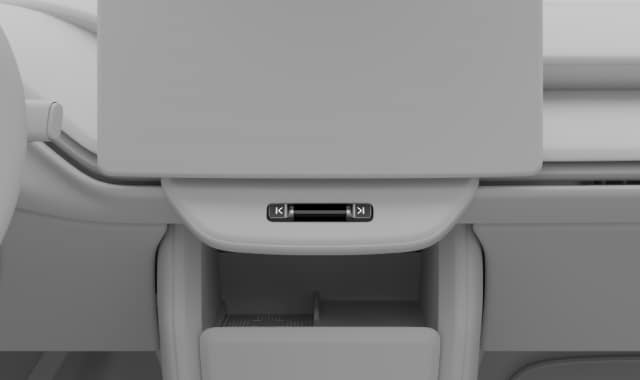 The displays restart.Ignore any messages that appear in the centre display when you are pressing and holding the media control bar.
Note