Locking and unlocking
You have several options for locking and unlocking the car, depending on what keys you use and which settings are enabled.
Locking and unlocking from a distance
Your car can unlock and lock automatically when you approach or leave it with a recognised distance-capable key. You can enable or disable this behaviour in settings.
You can use your Volvo cars app to lock or unlock your car. If you have set up a digital key on your device, you can also use the lock and unlock buttons in your device's wallet app.
Note
Digital key and distance capability
Make sure you enable Bluetooth on your device for your car to be able to detect it from a distance.
If you're using a digital key on a device that doesn't have UWB[1] capability, the key isn't distance-capable and can only be used as a key card.
Important
It is the driver's responsibility to ensure the car is locked, even when automatic functions are enabled.
Car thieves can use frequency jamming to interfere with key functions and prevent cars from locking. When you leave your car, always check that the driver door is locked.
Locking and unlocking using touch points
If you want to lock or unlock your car manually while still using a distance-capable key, you can use the touch points on the door handles or boot hatch.
To unlock the car, touch the upper edge of the door handle or touch the button on the boot hatch exterior.
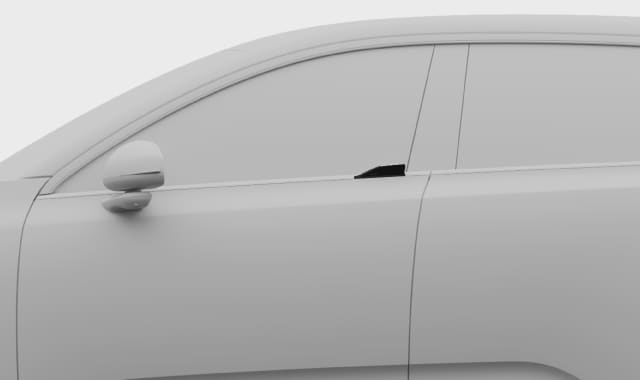
To lock the car, place a finger on the small indentation on the door handle.
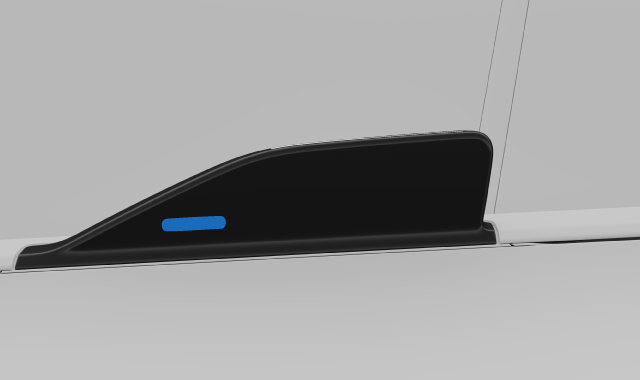
Note
For the touch points to work, you need to keep a recognised distance-capable key where your car can detect it.
To prevent your car from unlocking or locking automatically when you approach or leave it, be sure to disable Unlock car when approaching and Lock car when leaving in settings.
You can select whether the touch points unlock all or just one of the doors via the locking settings.Tip
Using the key reader
If you're using a key card or a discharged distance-capable key, you can lock or unlock your car by putting the key on the NFC[2] reader in the driver's door pillar.
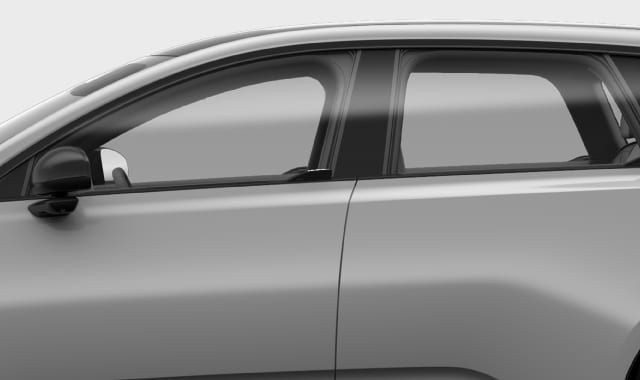
- you hold your card or device a few centimetres away from the reader
- the Volvo logo is facing toward you if you're using a key tag
- you hold your key card or key tag with the short edge facing the front of the car
- if you're using a digital key, you have opened it in the wallet app before placing your device on the reader.
Using the button panels
Direct controls for the door locks are located on the button panels on the inside of the front doors. The lock and unlock symbols are visible on the buttons.


Double lock
Your car is equipped with a double lock, which means that it locks the doors from the outside and the inside. This is to prevent unauthorised attempts to open the car using the inner door handles.
Double locking is enabled by default. It will be temporarily inactivated if you turn occupant locking on.
Warning
Volvo recommends not leaving people or pets in a locked car. The driver is always fully responsible for the well-being and safety of anyone left inside.
Some regions have laws prohibiting people or pets being left inside a locked vehicle.
