Steering wheel controls
The steering wheel has several buttons and controls that control specific functions such as the horn, as well as certain settings, adjustments and what's shown in the instrument panel.
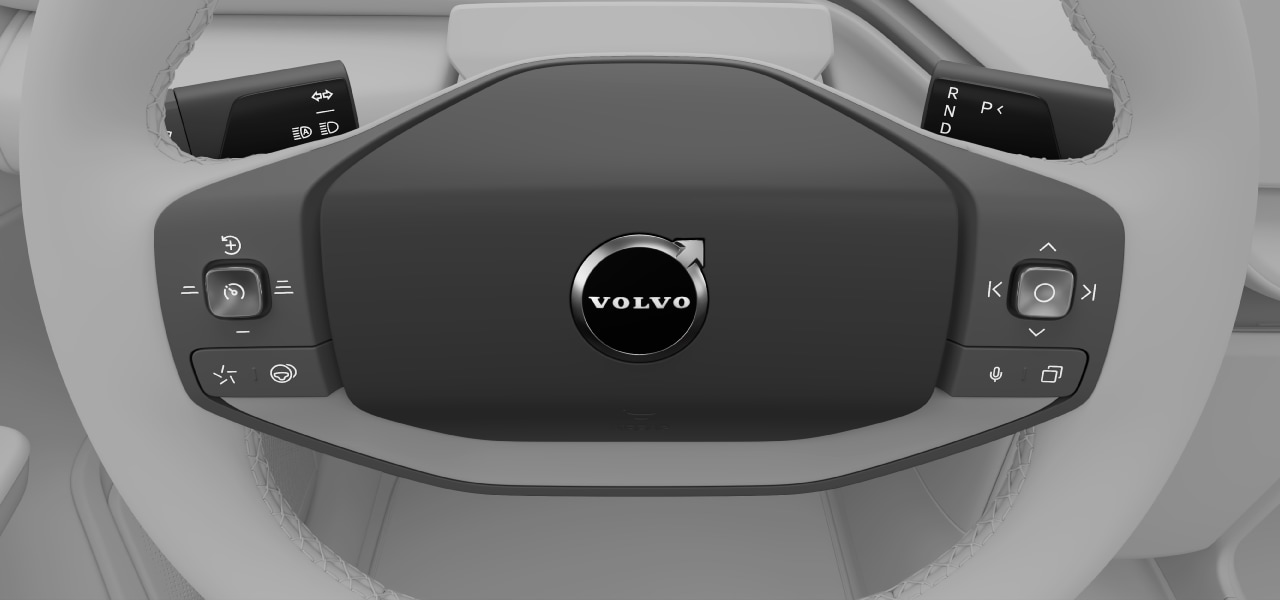
- Horn
- Buttons and controls
- Left-hand stalk
- Right-hand stalk
Buttons and controls
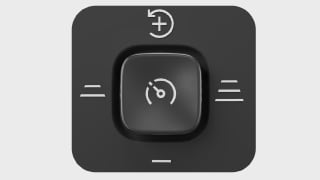
The driver support control  on the left-hand side of the steering wheel lets you adjust the target speed and time interval for Pilot Assist. You can also press it to turn Pilot Assist on or off.
| Target speed | Adjust the target speed by moving the driver support control toward the increase speed  or decrease speed or decrease speed  symbols. symbols. |
|---|---|
| Time interval | Adjust the time interval to vehicles in front of you by moving the driver support control toward the decrease distance  or increase distance or increase distance  symbols. symbols. |
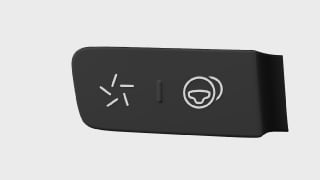
The buttons on the left-hand side of the steering wheel let you activate One Pedal Drive as well as enable or disable steering assistance when driving with Pilot Assist.
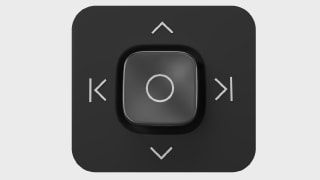
The media control on the right-hand side of the steering wheel lets you control various media settings, such as changing volume or tracks as well as answering or hanging up the phone. You can also press it to play or pause media, confirm settings in the instrument panel menu or end an ongoing call.
| Change volume | Move the control upward or downward to change volume. You can mute the sound by moving the button downward and holding it there for a few seconds. |
|---|---|
| Change media tracks | Move the control left or right to change tracks. |
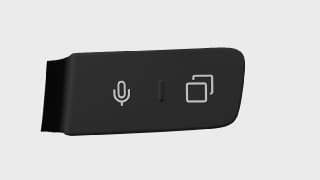
The buttons on the right-hand side of the steering wheel let you activate voice control as well as cycle between views in the instrument panel.